
Last updated 9 Oct 2026
A few settings on the Team page protect your store if a password is guessed or a device goes missing.
Open security settings
Go to Team in the sidebar (under More) and open the Security & Access tab.
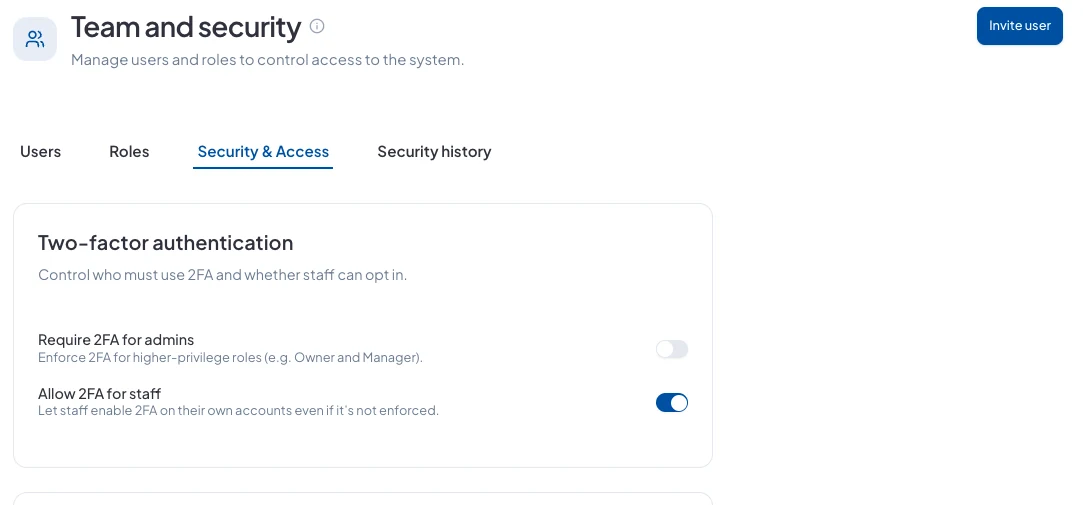
Two-factor authentication
- Require 2FA for admins: makes Owners and Managers use a code from their phone as well as their password.
- Allow 2FA for staff: lets everyone else turn it on for their own account.
We recommend requiring it for admins. They can reach billing, payouts and your whole team.
Session timeout
Choose how many minutes someone stays signed in before they have to sign in again, for example 480 for a working day. Shorter is safer on shared computers at the till.
IP allow list
Advanced: limit dashboard access to your own internet connections by entering their IP ranges. Leave it empty to allow sign-ins from anywhere. Get this wrong and your team can be locked out, so only use it if you know your office's IP addresses.
See sign-in history
The Security history tab shows recent security events for your account, so you can spot anything unusual.
Did this answer your question? Contact support if you need more help.