
Last updated 9 Oct 2026
A service is anything customers book a time for: a haircut, a session, a consultation, a room. Each one has its own price, length and booking rules.
Bookings is switched on for businesses that take appointments: you choose this when you sign up. If you don't see Bookings in your sidebar, contact us and we'll turn it on for you.
1. Create the service
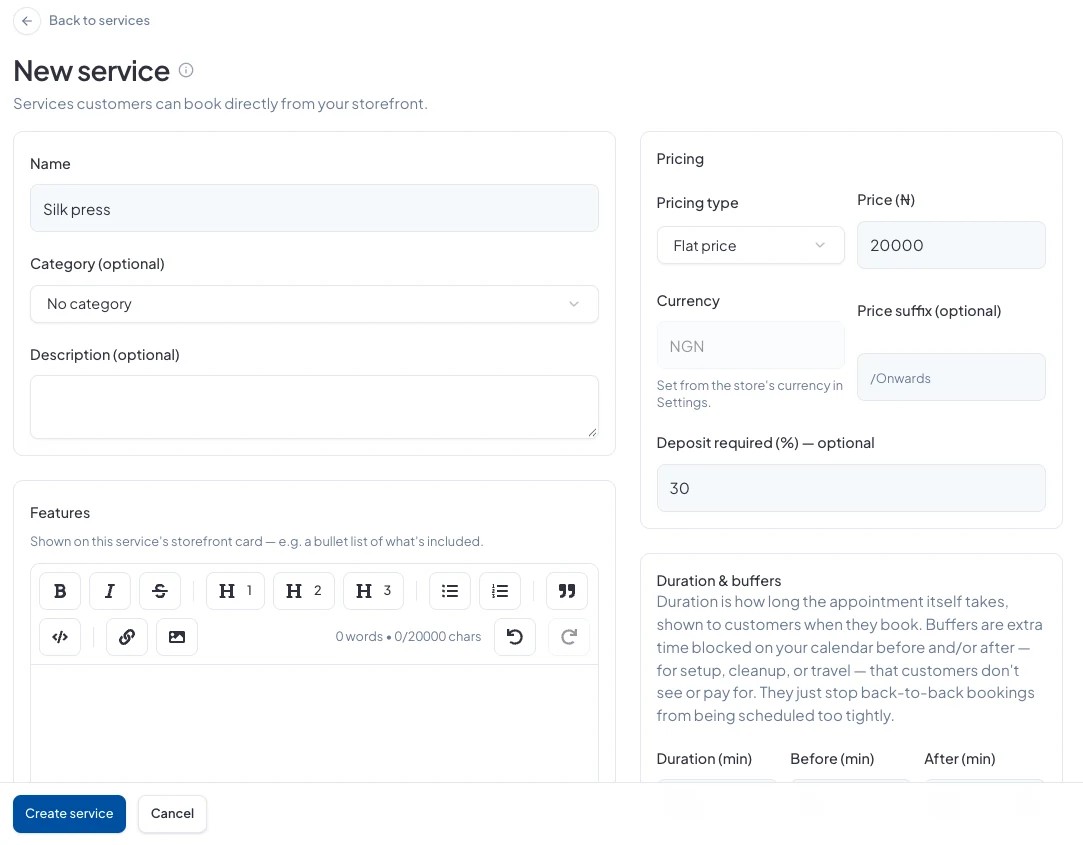
Go to Bookings → Services and click New service. Give it a Name, and optionally a Category, a Description, a list of what's included under Features, and an Image. A wide, landscape photo works best.
2. Set the price
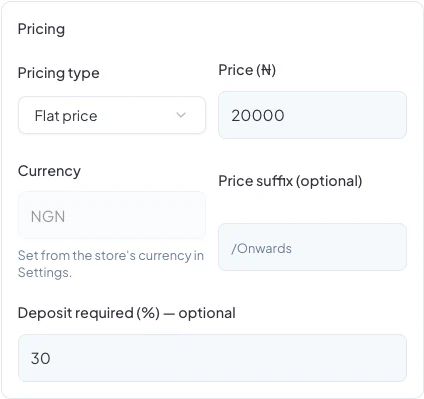
Choose a Pricing type:
- Flat price: one price for the service.
- Per person: the price is multiplied by the party size.
- From (starting price): a starting price, for services that vary.
- Custom / Enquire: no price shown; customers ask you first.
Add a Price suffix if you like, such as /Onwards. Under Deposit required (%), set how much customers pay up front.
3. Set the length and buffers
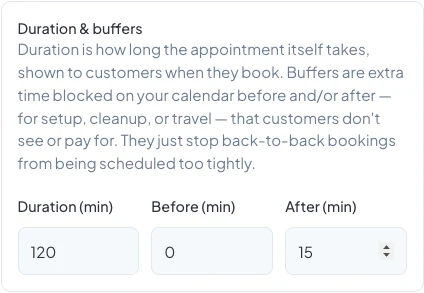
Duration is how long the appointment takes, and customers see it. Before and After are buffers: extra time blocked on your calendar for setting up, cleaning up or travelling. Customers don't see or pay for buffers; they just stop bookings landing back to back.
4. Set the booking rules
- Min lead time: how many hours' notice you need.
- Max advance: how many days ahead customers can book.
- Max party size: how many people one booking can cover.
- Bookable online: turn this off to show Enquire Now instead of a live calendar.
- Active: turn this off to hide the service from your store.
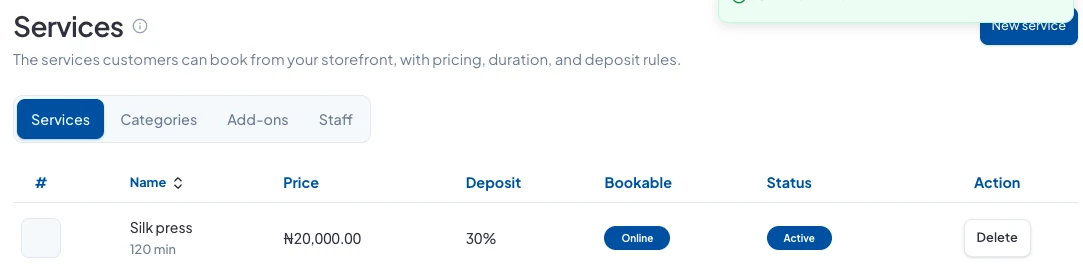
Click Create service. It's listed with its price, deposit and status.
Next
Add the people who deliver your services and set their hours. See How do I add staff and set their working hours?
Did this answer your question? Contact support if you need more help.