
Last updated 9 Oct 2026
Not every sale comes through your website. When someone orders on Instagram, over the phone or in person, create the order yourself so it's tracked with everything else: stock, payments and reports.
1. Start a new order
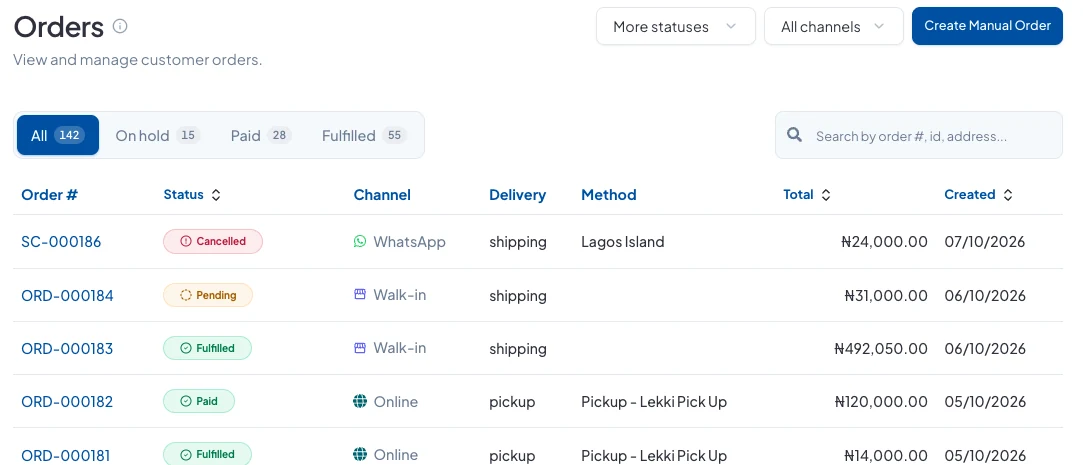
Go to Sales → Orders and click Create Manual Order.
2. Say where it came from
Choose a Customer if you have one saved (optional), then pick the Sales Channel: Walk-in, WhatsApp, Instagram, Facebook, TikTok, Chowdeck, Glovo, Jumia, Konga or Amazon. Your reports use this to show which channels sell most.
Choose the Origin Inventory Location the stock comes from, and click Create Order.
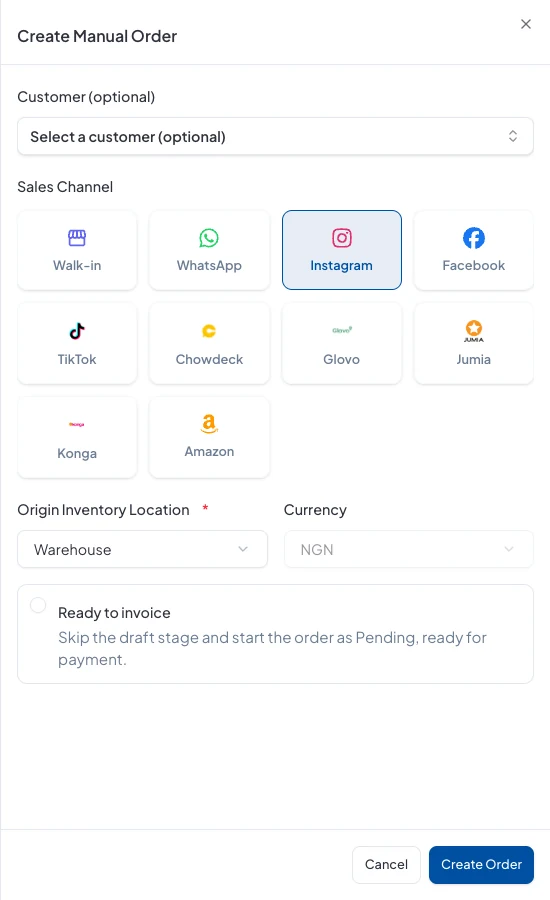
New manual orders start as a draft. Tick Ready to invoice if you want to skip that and start it as Pending, ready for payment.
3. Add what they're buying
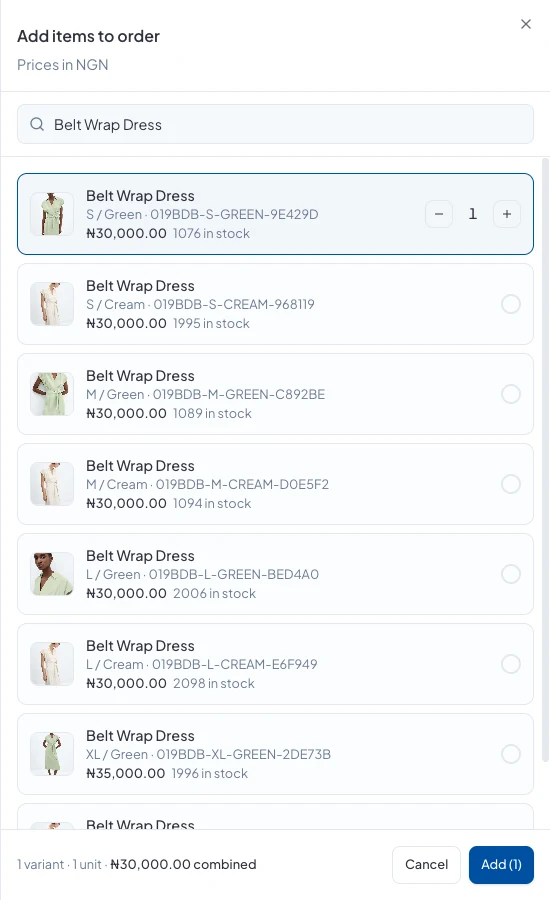
On the order page, click Add Item, search by name or SKU, choose the products and quantities, and click Add. For something that isn't in your catalogue, use Add custom item.
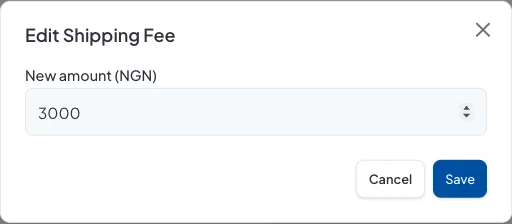
Use Discount and Shipping at the top to take money off or set a delivery fee, and Edit to add the delivery address.
4. Record the payment
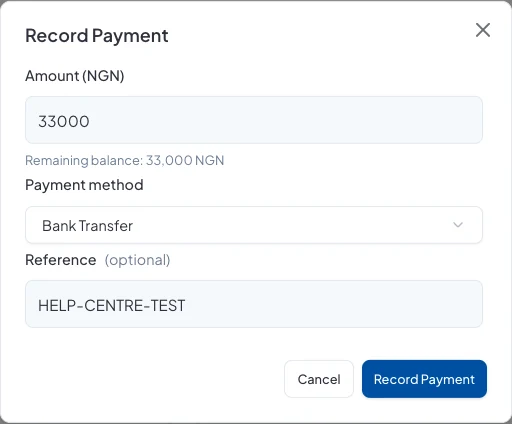
When the money arrives, click Record Payment. Enter the amount (the remaining balance is shown), choose how they paid (Bank Transfer, Cash, Card or Other), and add a reference if you have one.
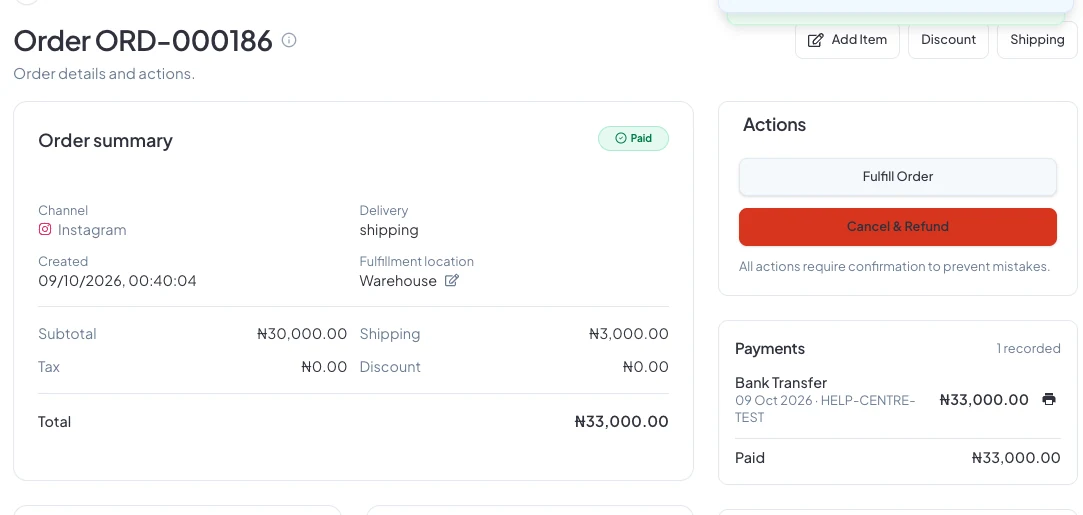
Once the full amount is in, the order is marked Paid, and the payment shows on the order with its reference.
Next
When you hand the item over or send it out, fulfil the order. See How do I fulfil an order?
Did this answer your question? Contact support if you need more help.