
Last updated 9 Oct 2026
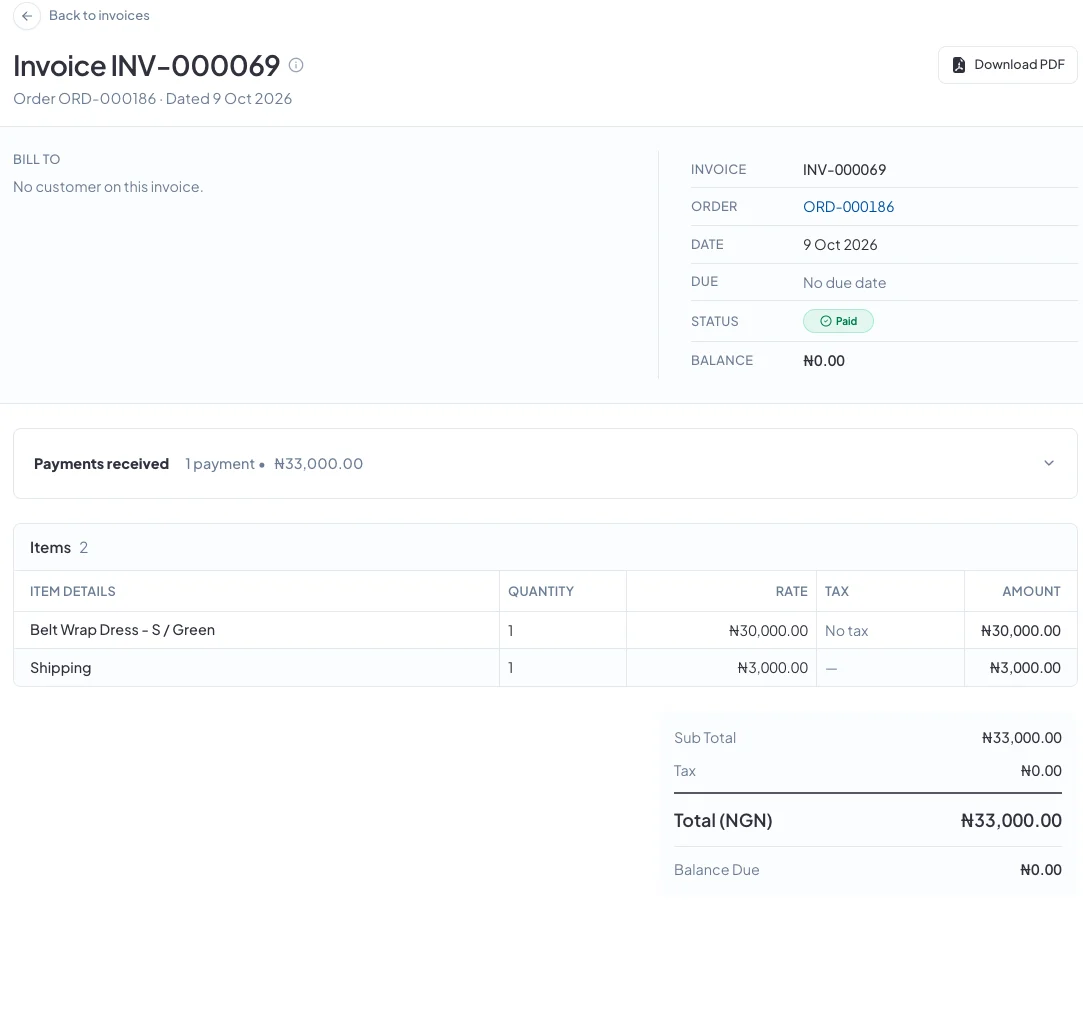
With invoicing on, your orders get a numbered, dated invoice: the document an accountant or a business customer expects, which they can download as a PDF.
Invoices is a plugin. If you don't see it in your sidebar, go to Plugins and turn on Invoices. See How do I turn features on and off with Plugins?
Where invoices come from
You don't create invoices from scratch. Each order gets one: a draft is created when the order is ready to be paid, and it's issued automatically when a payment is recorded. Find all your invoices under Sales → Invoices, with tabs for each status.
A draft can still change. Once an invoice is issued, it's locked and becomes the financial record. To send an invoice before the customer pays, issue it yourself as below.
1. Check the draft
Open the invoice. On a draft you can change the invoice date and due date, then click Save.
2. Issue it
Click Issue invoice and choose the bank account to print on it, so your customer knows where to pay. Click Issue invoice again to confirm. You can't change the bank account after this.
No accounts listed? Add one first under Settings → Invoice Template → Branding → Manage bank accounts.
3. Send it to your customer
Click Download PDF and send the file over WhatsApp or email. If the invoice still has a balance, click Record payment when the money arrives.
Good to know
- Invoices are numbered in order: INV-000001, INV-000002 and so on.
- To change what your invoices look like, see How do I change how my invoices look?
- Invoicing is always on with the Enterprise plan.
Did this answer your question? Contact support if you need more help.