
Last updated 9 Oct 2026
A payment link is a checkout page for one fixed amount. Send it to a customer over WhatsApp, email or anywhere else, and they can pay without browsing your store. It's useful for deposits, custom orders and services.
Payment links is a plugin. If you don't see it in your sidebar, go to Plugins and turn on Payment links. See How do I turn features on and off with Plugins?
1. Create the link
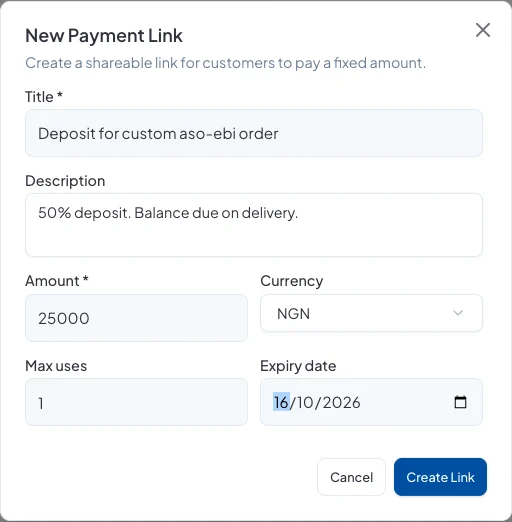
Go to Sales → Payment Links and click New Link. Fill in:
- Title: what the payment is for. Your customer sees this.
- Description: optional extra detail, such as 50% deposit. Balance due on delivery.
- Amount and Currency.
- Max uses: how many times the link can be paid. Use 1 for a single customer.
- Expiry date: optional; after this date the link stops working.
Click Create Link.
2. Send it
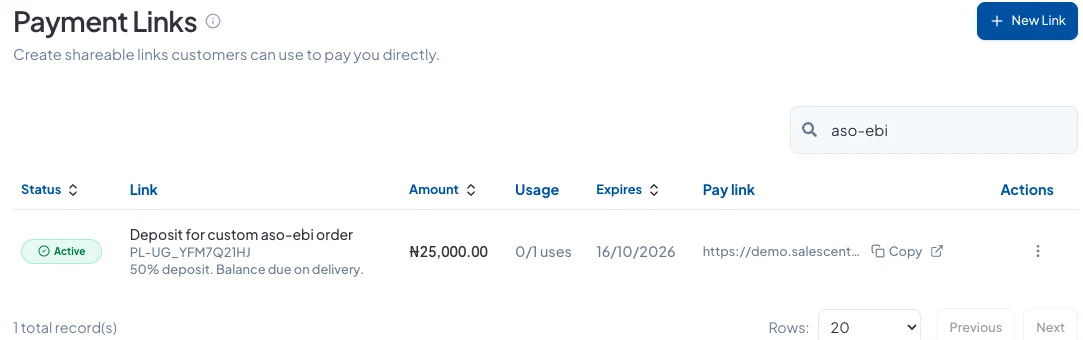
The link appears in the list with its amount, uses and expiry. Click Copy and paste it into your chat or email.
What your customer sees
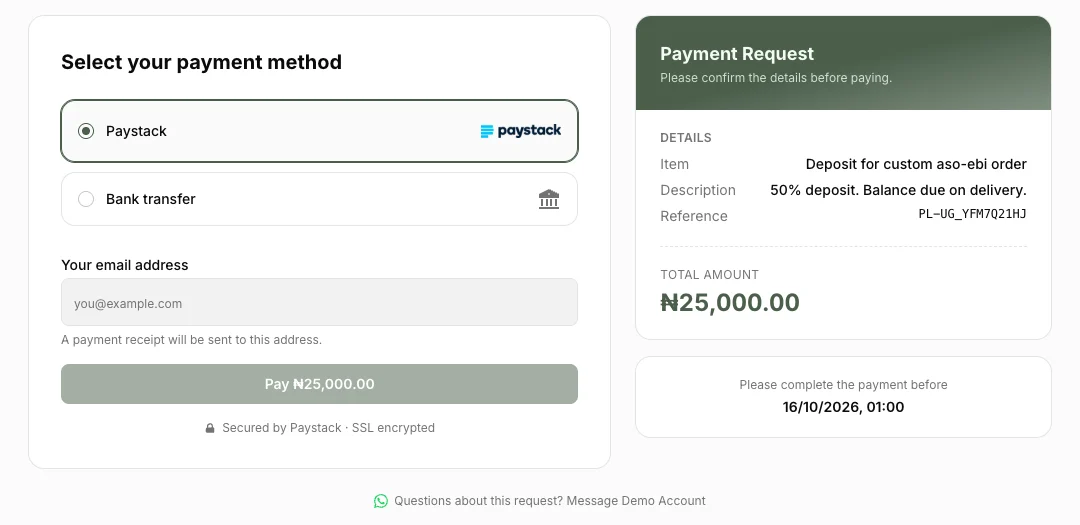
The link opens a secure checkout page showing what they're paying for and the amount. They pay by Paystack or bank transfer and enter their email for a receipt. There's also a button to message you on WhatsApp if they have questions.
Managing links
Open a link's ⋯ menu to View payments, Deactivate it so it can't be paid any more, or Delete it.
Did this answer your question? Contact support if you need more help.