
Last updated 9 Oct 2026
Paystack lets customers pay by card or bank transfer at checkout, and the money goes straight to your bank account. You don't need your own Paystack account or any keys.
1. Add your bank account
In the sidebar, open More, then go to Store Setup → Bank Accounts and click Add account. Your account needs to be verified before Paystack can pay into it.
2. Turn on Paystack
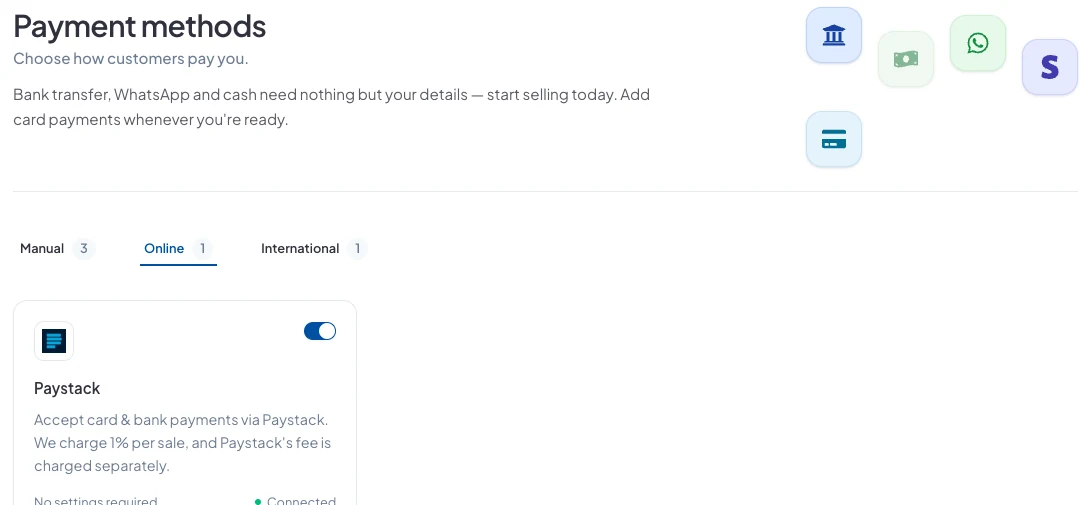
Go to Store Setup → Payment Methods and open the Online tab. Switch Paystack on and choose the bank account it pays into. Use Change to switch accounts later.
3. That's it
Customers now see Paystack at checkout. When they pay, the order is marked paid automatically, and the payment shows under Sales → Payments Received.
Fees
SalesCenta takes 1% of each Paystack sale, and Paystack charges its own fee separately. Bank transfers into your own account, WhatsApp orders and cash have no fee from us.
Did this answer your question? Contact support if you need more help.