
Last updated 9 Oct 2026
Every store gets a free web address ending in .salescenta.com. You can change it, or use a domain you already own, like yourbrand.com.
1. Open Domains
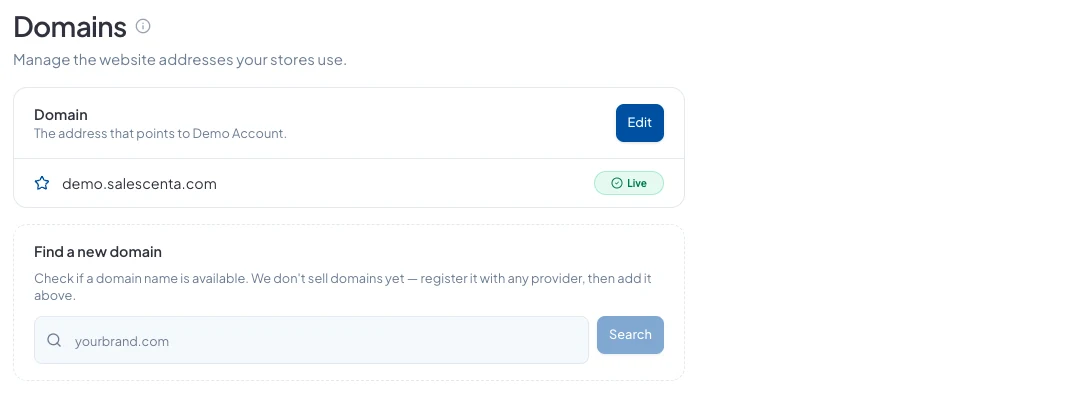
In the sidebar, open More, then go to Storefront → Domains. You'll see your store's current address and whether it's live. Click Edit.
2a. Change your free address
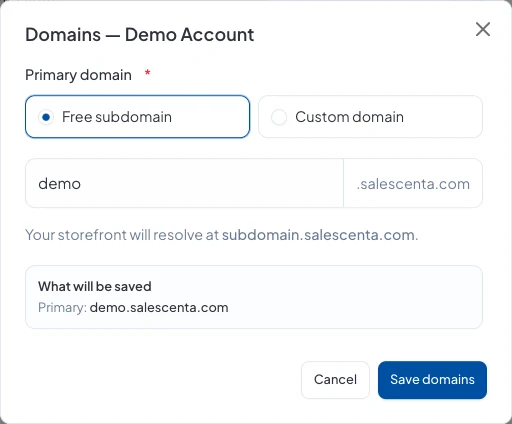
Keep Free subdomain selected and type the name you want before .salescenta.com. Check the preview under What will be saved, then click Save domains.
2b. Use your own domain
Choose Custom domain and enter a domain you already own. You can buy it from any provider; it doesn't need to come through SalesCenta. Click Save domains.
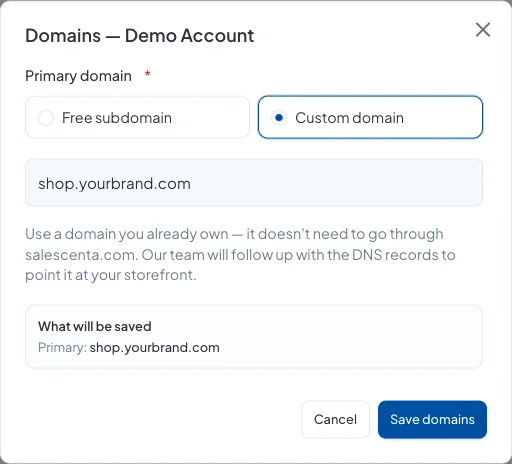
Our team will then send you the DNS records to add with your domain provider. Your store goes live on your domain once those records are in place.
Don't have a domain yet?
Use Find a new domain on the same page to check whether a name is available. We don't sell domains yet, so register it with any provider, then add it as above.
Good to know
- If you change your free address, update the links you've shared on WhatsApp, Instagram and elsewhere so customers land on the new one.
- If you run more than one store, each one has its own address.
Did this answer your question? Contact support if you need more help.