
Last updated 9 Oct 2026
Some features in SalesCenta are optional. They live in Plugins and start switched off, so your dashboard only shows what you actually use. Switch one on and it appears in your sidebar.
Turn a plugin on or off
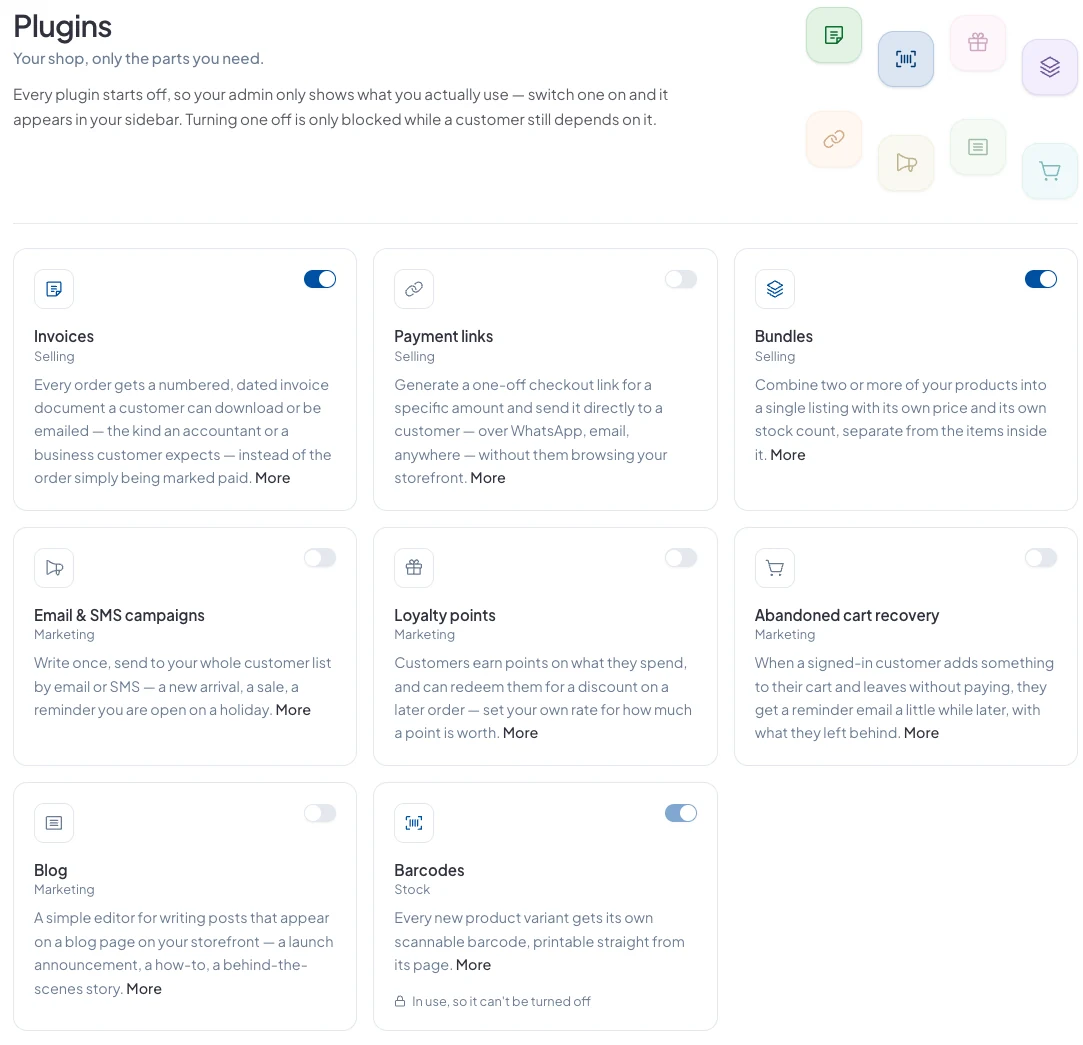
Go to Plugins in the sidebar. Each plugin has a switch at the top right of its card. Click More on a card to read what it does.
The plugins
- Invoices: a numbered, dated invoice for every order, for customers to download as a PDF.
- Payment links: a one-off checkout link for any amount, to send on WhatsApp or email.
- Bundles: sell two or more products together as one listing at a discount, with customers choosing each item's variant.
- Email & SMS campaigns: send an email to your customers and subscribers. Campaigns are sent by email.
- Loyalty points: customers earn points on what they spend and use them for money off.
- Abandoned cart recovery: a reminder email to signed-in customers who leave items in their cart.
- Blog: write posts that appear on a blog page on your store.
- Barcodes: a scannable barcode for every product variant, ready to print.
Why can't I turn a plugin off?
A plugin can't be switched off while something still depends on it, for example a payment link that's still live, which a customer could be about to pay. The card says In use, so it can't be turned off. Once nothing depends on it, the switch works again.
Did this answer your question? Contact support if you need more help.