
Last updated 9 Oct 2026
A loyalty programme rewards repeat customers. They earn points on what they spend, then use them for a discount on a later order. You set how many points they earn and what a point is worth.
Loyalty points is a plugin. If you don't see it in your sidebar, go to Plugins and turn on Loyalty points. See How do I turn features on and off with Plugins?
1. Set your rates
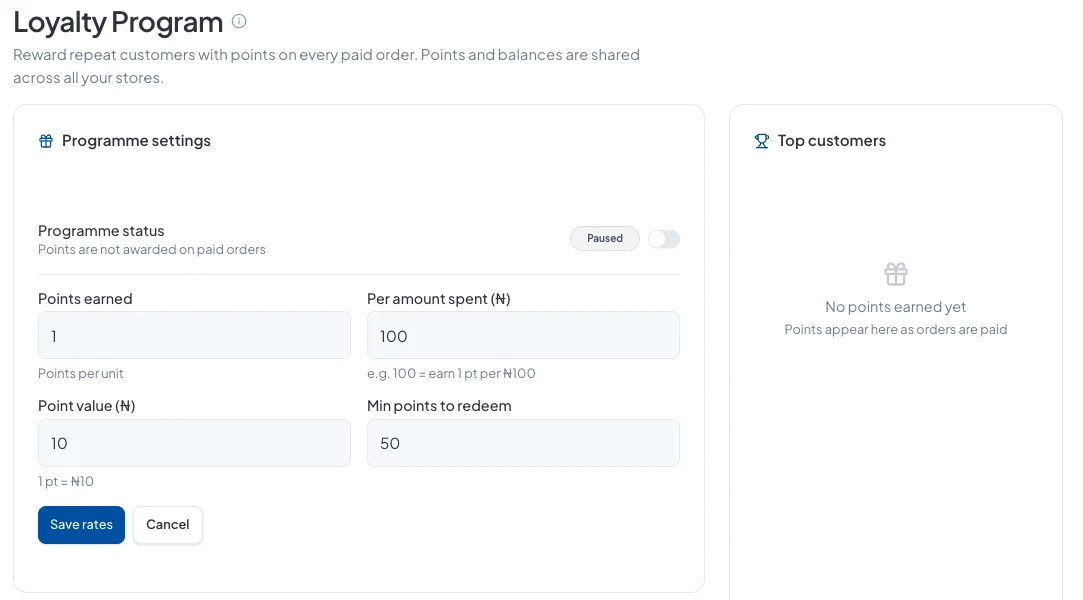
Go to Marketing → Loyalty and click Edit rates:
- Points earned and Per amount spent: for example, 1 point for every ₦100.
- Point value: what one point is worth as a discount, for example ₦10.
- Min points to redeem: the smallest balance a customer can use.
Click Save rates.
2. Turn the programme on
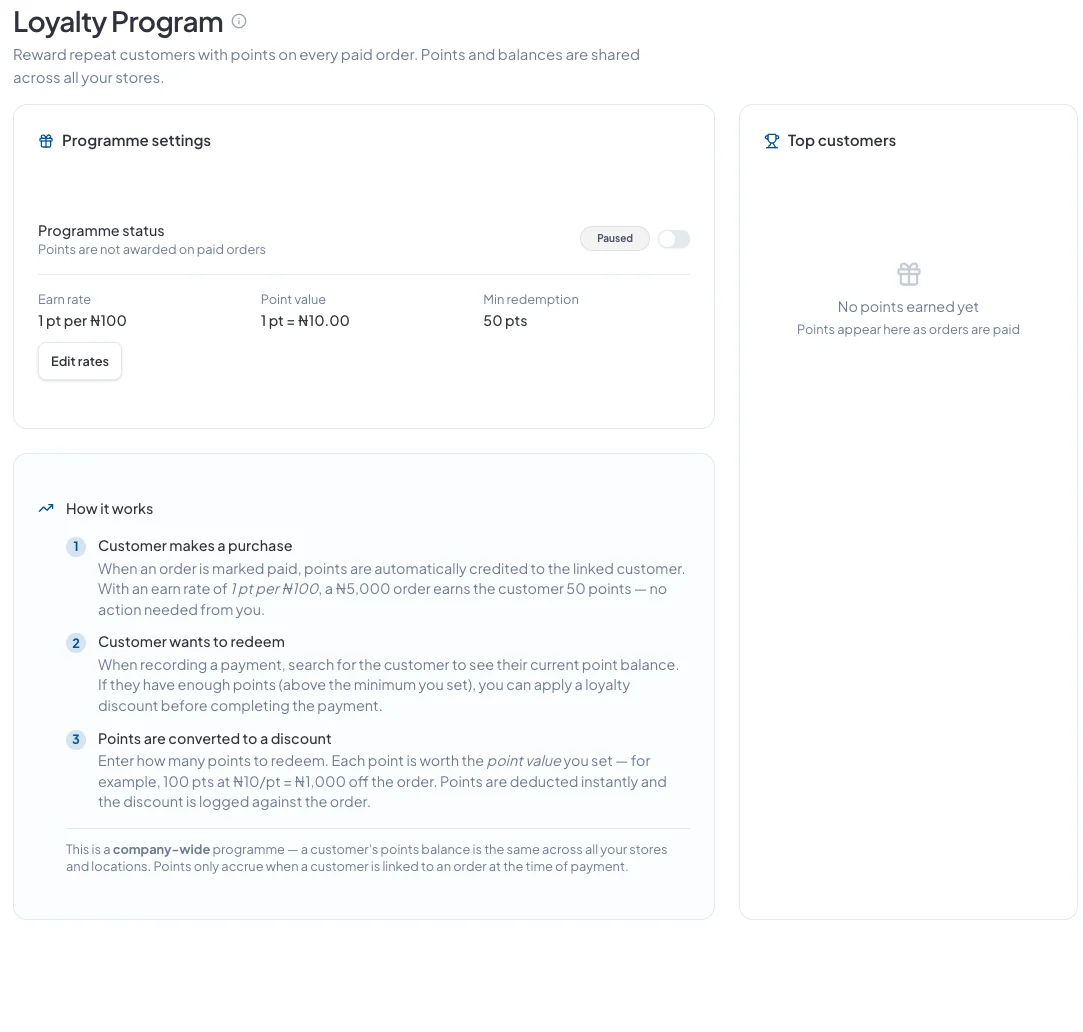
Switch Programme status on. While it's Paused, no points are given.
How customers earn points
When an order is marked paid, the customer linked to it gets points automatically. At 1 point per ₦100, a ₦5,000 order earns 50 points. Orders with no customer linked don't earn points.
How customers use points
When you record a payment, search for the customer to see their points balance. If they have enough, apply a loyalty discount before you complete the payment. For example, 100 points at ₦10 each takes ₦1,000 off. The points are deducted straight away.
Customers can see their own points balance in their account on your store.
Good to know
- Points are shared across all your stores and locations.
- Top customers shows who has earned the most points.
Did this answer your question? Contact support if you need more help.