
Last updated 9 Oct 2026
A bundle sells two or more of your products together as one listing, at a discount. Customers choose the variant they want for each item, such as size and colour, so you don't have to set up every combination.
Bundles is a plugin. If you don't see it in your sidebar, go to Plugins and turn on Bundles. See How do I turn features on and off with Plugins?
How a bundle is priced
A bundle doesn't have a fixed price of its own. Its price is the total of the variants the customer picks, minus the bundle discount you set. It has no stock count of its own either: it can be bought only while the items inside it are in stock.
1. Start a bundle
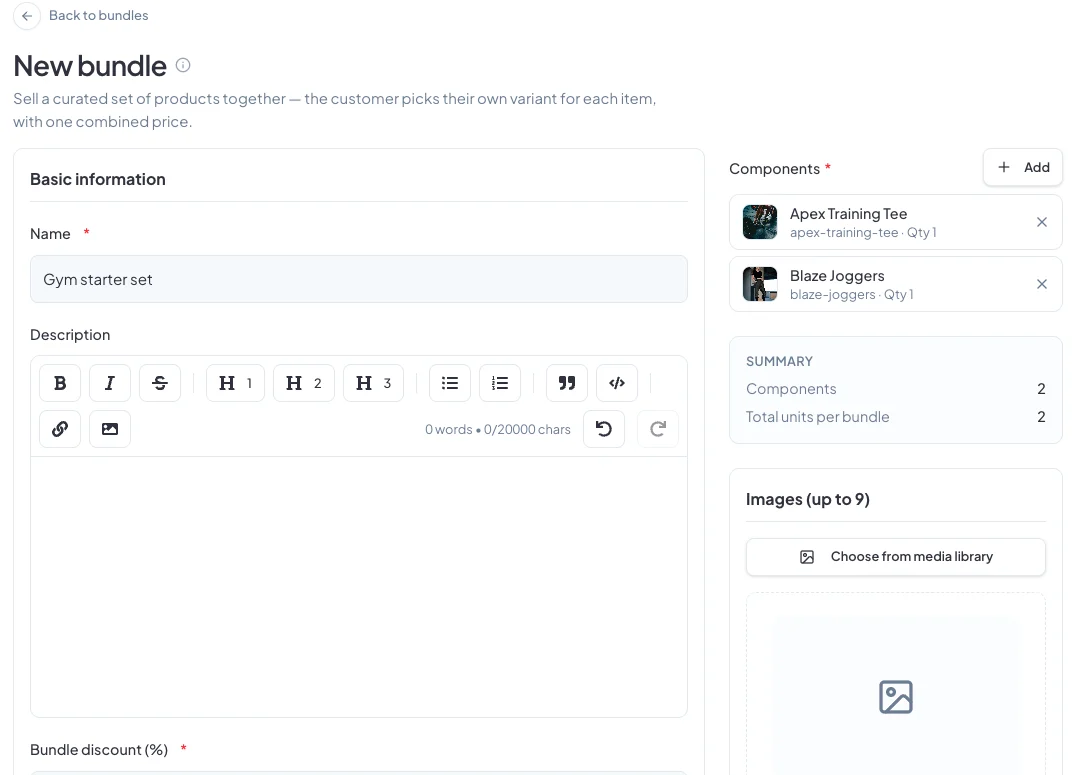
Go to Products → Bundles and click New bundle. Give it a Name and a Description.
2. Add the products
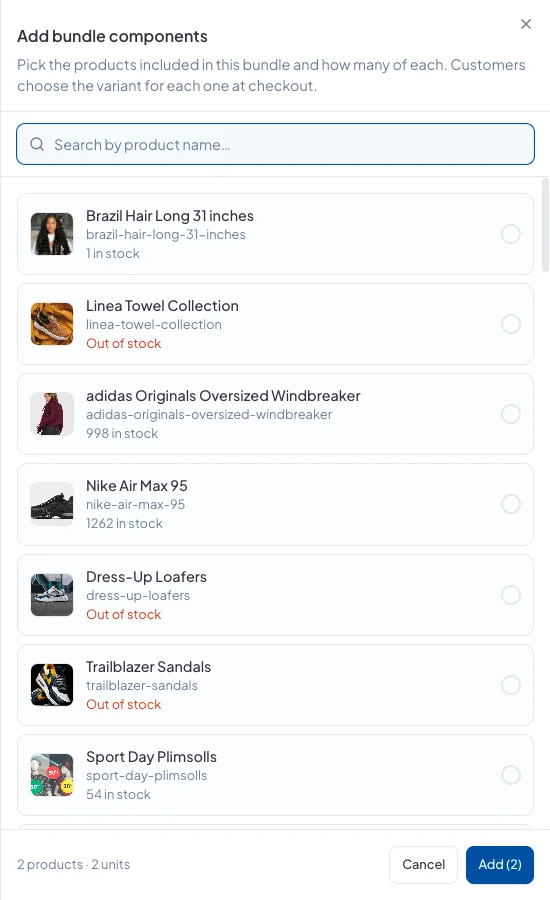
Next to Components, click Add. Search for products, tick the ones to include and set how many of each go in one bundle. You need at least two. Click Add.
3. Set the discount and finish
Enter the Bundle discount (%). Add up to nine images and choose its categories, then click Create bundle.
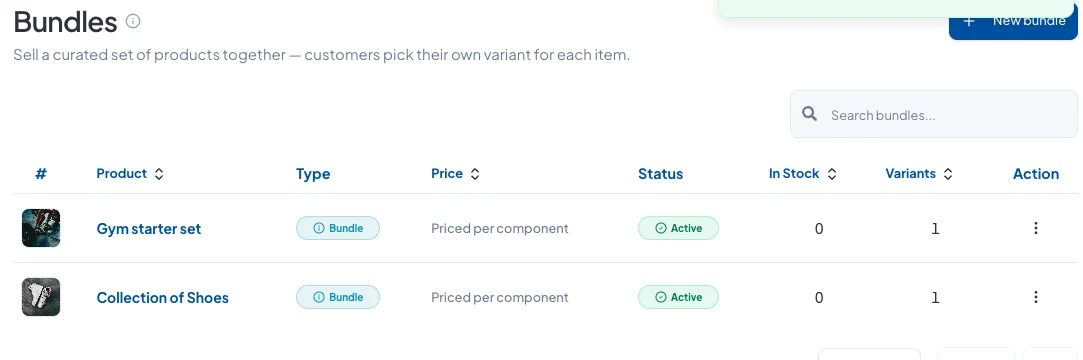
Your bundles are listed with Priced per component under Price, because the final price depends on what the customer picks.
Good to know
When a bundle is sold, each item inside it comes out of your stock as normal.
Did this answer your question? Contact support if you need more help.