
Last updated 26 Oct 2026
Most walk-in sales don't need a customer. When you do want one, for a regular or someone who wants a record of what they bought, add them to the sale on the till.
1. Find them#
On the till, click Add Customer above the sale. Click Type or Select Customer and type their name or email.
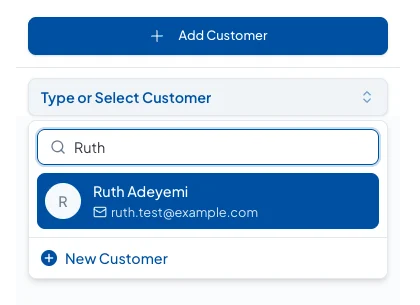
Not saved yet? Click New Customer to add them there and then.
2. Pick them#
Click their name. The sale now shows Customer: with their name. To pick someone else, click Change.
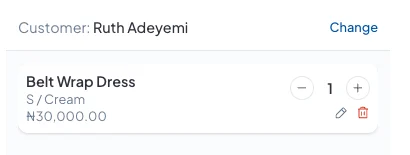
3. Finish the sale as usual#
Take payment as in How do I ring up a walk-in sale?
Good to know#
- The sale counts in the Orders figure on the customer's page under Customers.
- Changing the till's location clears the sale, customer included.
Was this helpful?