
Last updated 26 Oct 2026
Every till sale is saved as an order, with its payment and receipt, so you can find it again later.
1. Find the sale#
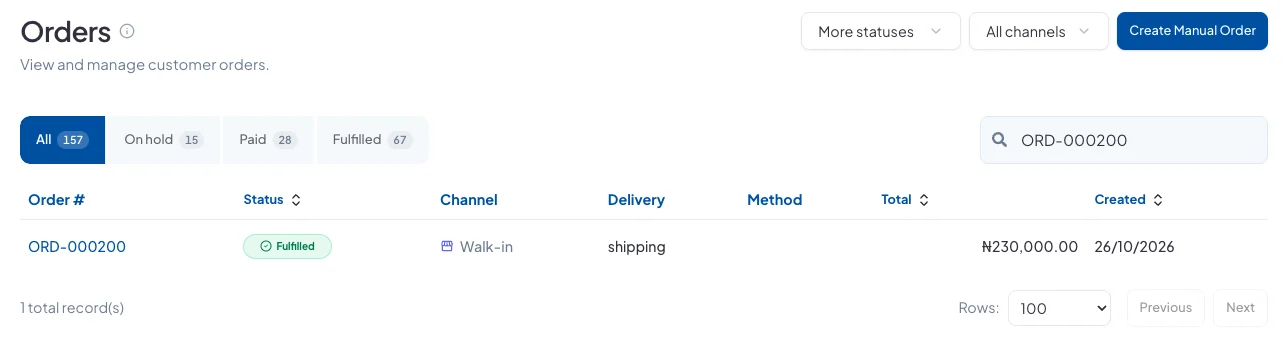
Turn off sales view, then go to Sales → Orders. Till sales show the channel Walk-in and the status Fulfilled. To find one, search for the order number from the receipt.
2. Open it#
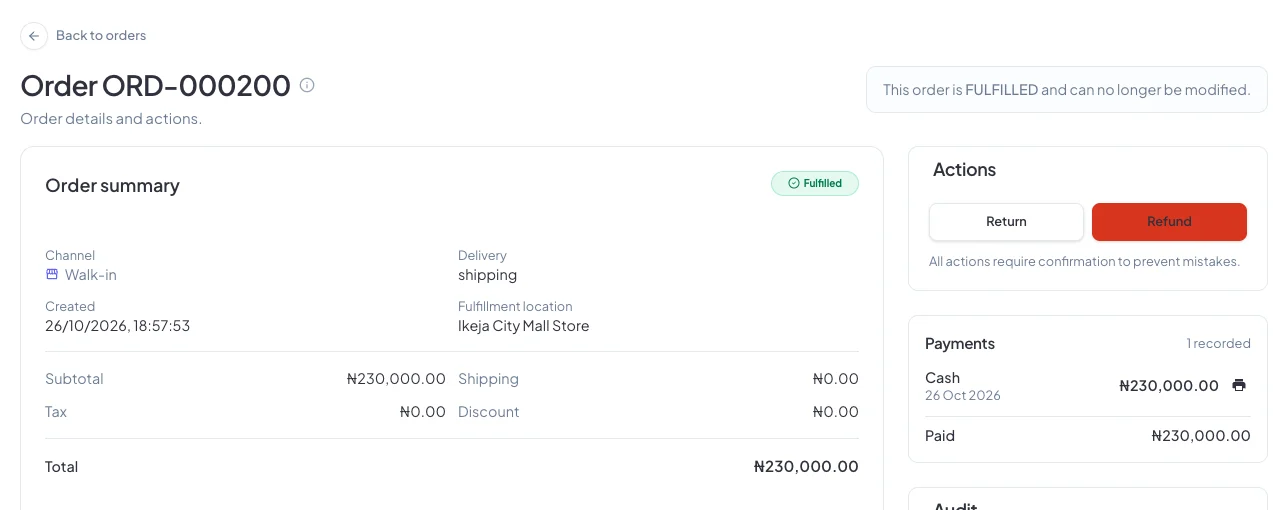
Click the order number. You'll see what was sold, the shop it came from (Fulfillment location) and the payment.
3. Reprint the receipt#
In the Payments card, click the printer icon next to the payment to open the receipt again.
Good to know#
- All payments, with their receipts, are also listed under Sales → Payments Received.
- A till sale is fulfilled as it's made, so its Actions are Return and Refund.
Was this helpful?