
Last updated 26 Oct 2026
Sometimes you sell something you haven't added as a product: a one-off piece, an alteration or a service. Add it to the sale as a custom item.
1. Add the custom item#
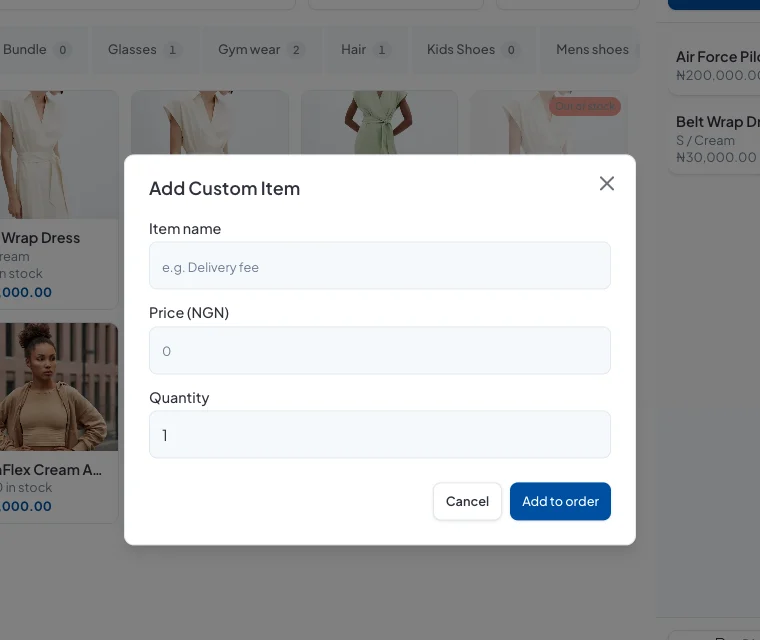
On the till, click Add Custom Item, the first tile among the products. Enter the Item name, Price and Quantity, and click Add to order.
2. Finish the sale as usual#
The item joins the sale alongside any products. Take payment as in How do I ring up a walk-in sale?
Good to know#
- A custom item doesn't touch your stock, because it isn't a product.
- If you sell it often, add it as a product so its stock and sales are tracked. See How do I add a product?
Was this helpful?