
Last updated 26 Oct 2026
If you charge VAT on counter sales, add it to the sale from the till. The rate comes from your tax settings.
1. Turn VAT on for the till#
Go to Store Setup → Tax Settings and open your tax. Make sure POS checkout is on: that's what makes it available on the till.
2. Add it to the sale#
On the till, open the Add Tax menu next to the location and choose your tax, for example Apply VAT (7.50%). Choose No tax for sales that don't carry it.
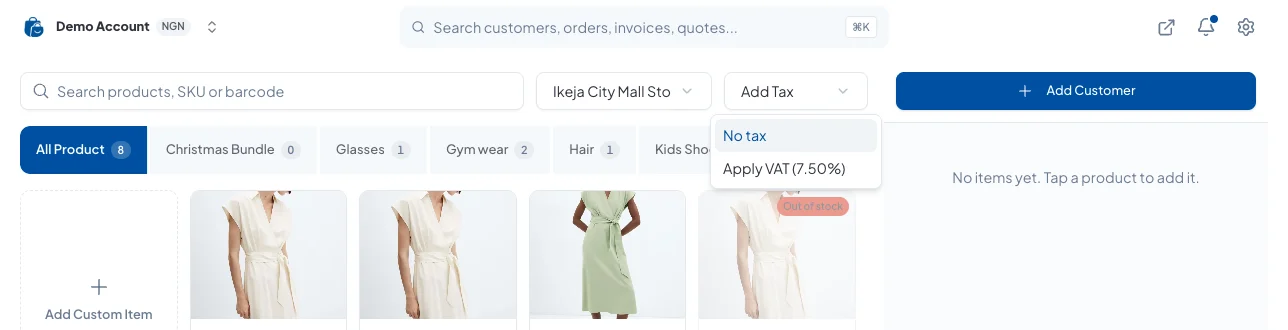
The tax shows as its own line above the total.
Good to know#
- The till remembers your choice on that computer, for each store, so you don't pick it for every sale.
- If the menu reads No tax set up, no tax has POS checkout on. Set one up first.
Was this helpful?